
Cookie preferences

Optional cookies from Google Analytics, Google Ads, and HubSpot help us measure visits. They stay off until you allow them, and a Global Privacy Control signal keeps them off.

See our cookie policy and privacy policy. You can change this any time.

Lifeline Revenue billers now work claims directly inside LifelineIQ.Learn more →
Platform/Clinical

Clinical

Document care once, then review it with the evidence beside it

ePCR charting, validation, signatures, QA review, cases, registries, and state reporting.

All workspaces
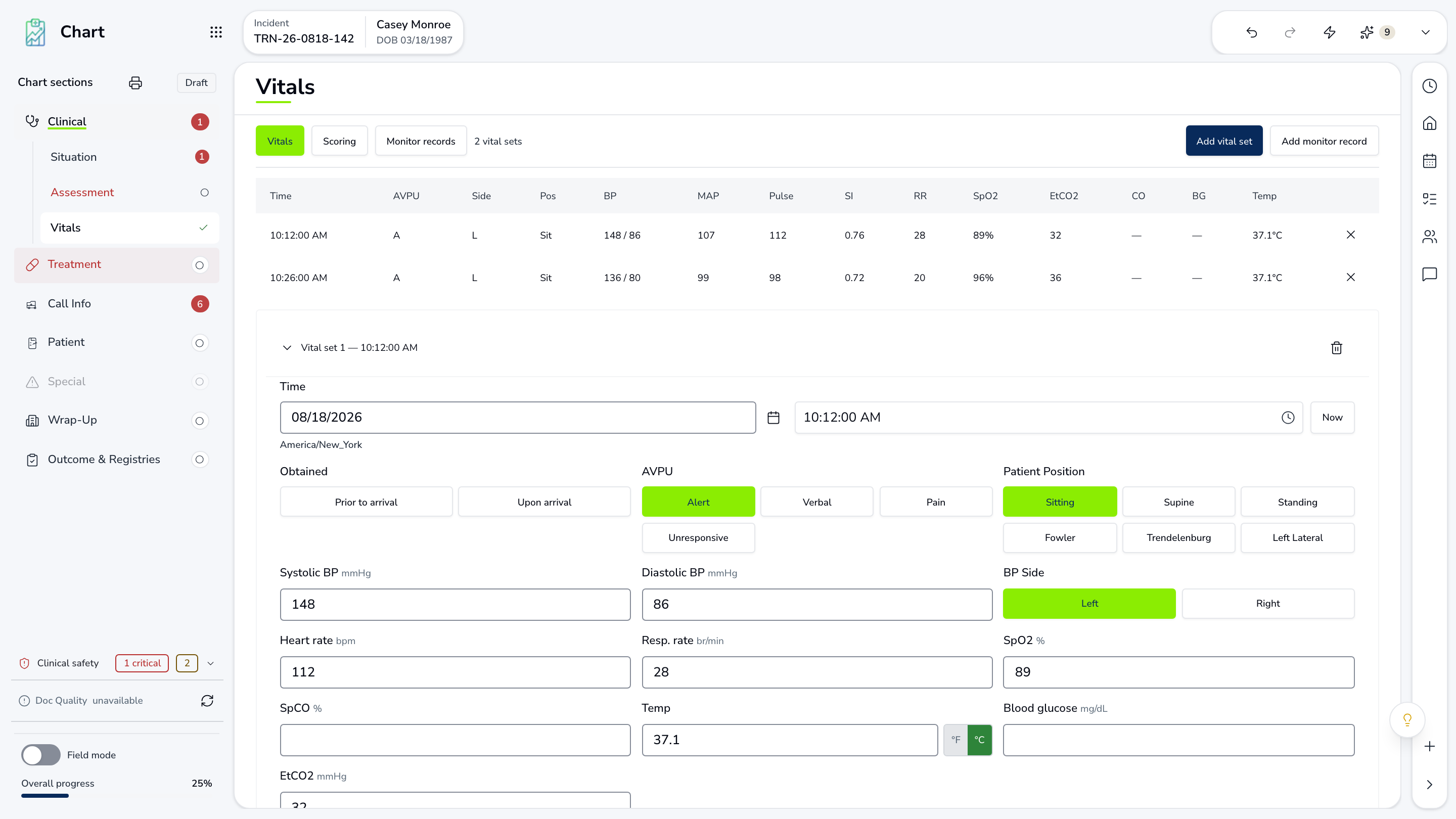
LifelineIQ Clinical workspace with fictional training data

What your team does in Clinical

The patient care report

Chart Editor

Narrative, assessment, vitals, medications, procedures, disposition, and signatures are documented in the current ePCR editor.

  • Patient care. Structured around the encounter.
  • Issues beside the chart. Fix them before leaving the record.
  • Agency guidance. Reference while documenting.

Check before submission

Validation

Clinical and NEMSIS checks say what is missing and take the provider to the section that needs attention.

  • Blocking items. Must be fixed before submission.
  • Items to review. Check against the care documented.
  • Ready to submit. The next team receives a complete chart.

Clinical review

CareIQ

The reviewer reads the chart, records the finding, assigns coaching or follow-up, and documents how the case ended.

  • Chart evidence. Vitals, timeline, and narrative beside the review.
  • Coaching or follow-up. Assigned from the finding.
  • Result recorded. What changed and when.

Everything in Clinical

Every page your team can open in this workspace.

Charting

Chart centerMigration reports

Quality

InboxCasesRegistriesState reportingProvidersInsights

Walk through Clinical with us.

Tell us how your team handles this work today, and we will show you how it runs in Clinical.

All workspaces