The LifelineIQ platform

18 modules. One operational history.

Each team gets a workspace made for its job. The patient, incident, employee, asset, and financial history carries from one workspace to the next.

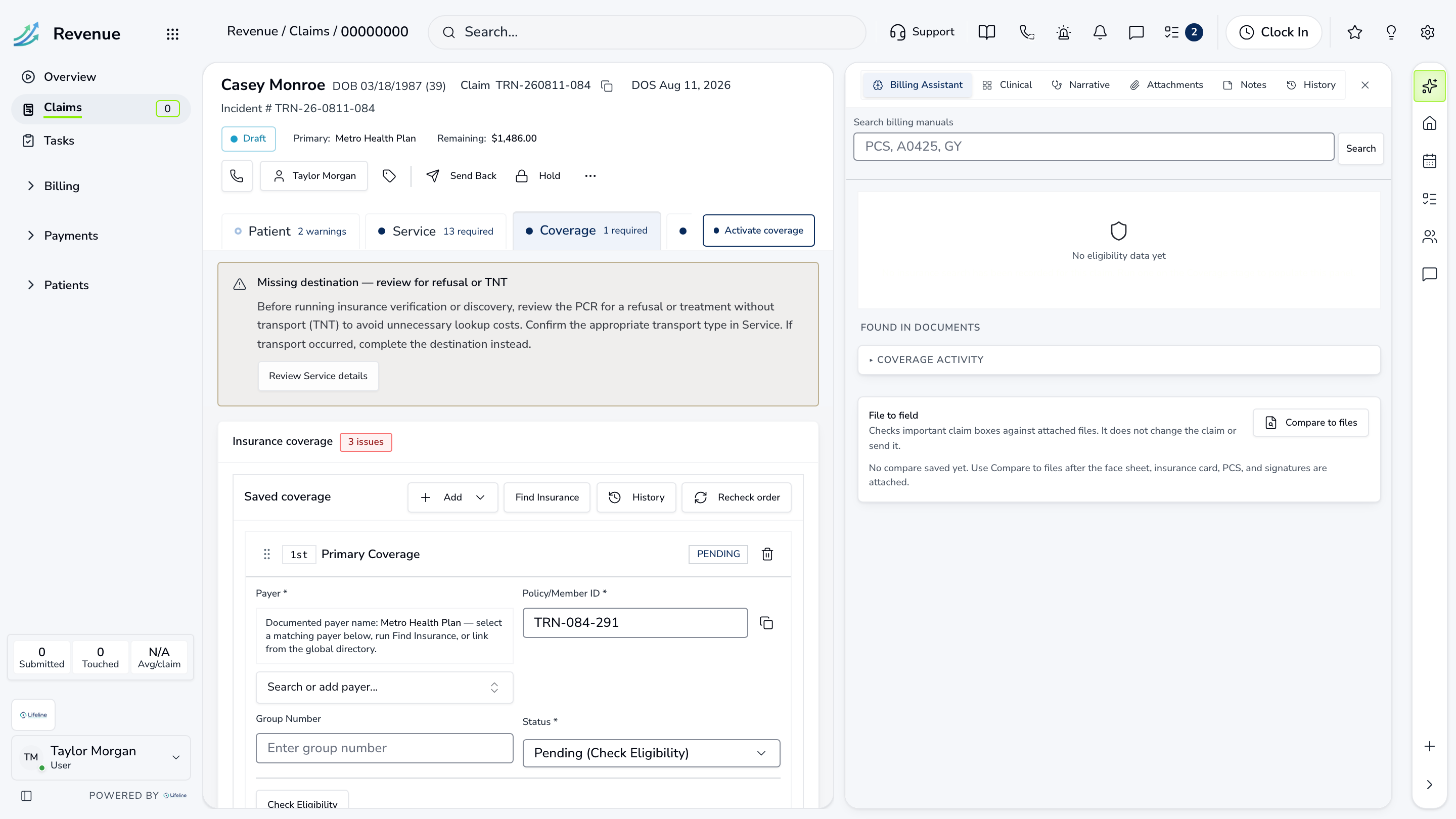
Current chart workspaceFictional training-agency data
LifelineIQ Chart workspace with fictional training data

Availability note

The module catalog shows current LifelineIQ interfaces using fictional training-agency records. Access depends on role, agency configuration, required source data, and integrations; the proposed scope identifies what is included and when it will be enabled.

How availability is scoped →

All 18 modules

A workspace for each team. A history for the whole agency.

Dispatchers, crews, reviewers, billers, supervisors, and leaders each get a workspace for their job. The record created by the last team comes with it.

One agency record

Different workspaces, one agency history.

A dispatcher, clinician, biller, fleet manager, and chief need different screens. LifelineIQ gives each of them the source history that matters to the job in front of them.

01

Start with the job

Each workspace opens on the queue, record, or schedule that team handles every day.

02

Keep the source details

Assignments and due dates sit beside the record and the history that created the work.

03

Follow the trail

A leadership signal opens back to the claims, incidents, people, or assets behind it.

Tell us how work moves through your agency.

We will show those same handoffs in the current software using realistic sample records.

How it works