
LifelineIQ People
Plan the shift with the people record close at hand
People records, scheduling, timecards, requests, recruiting, onboarding, credentials, HR cases, performance, and guidelines.

Inside the module
These three screens show what the team sees, what it works, and where the record goes afterward.
01
People records and credentials
02
Scheduling, requests, and timecards
03
Recruiting, onboarding, and performance
01 | Coverage planning
Schedule
Build the schedule, handle PTO and trades, and see staffing requirements before the shift is published.
Coverage
Shifts and gaps
Required roles beside scheduled staff
Requests
PTO and trades
Requests on the schedule they affect
Publish
Current schedule
Staff can see the latest change

02 | Employee record
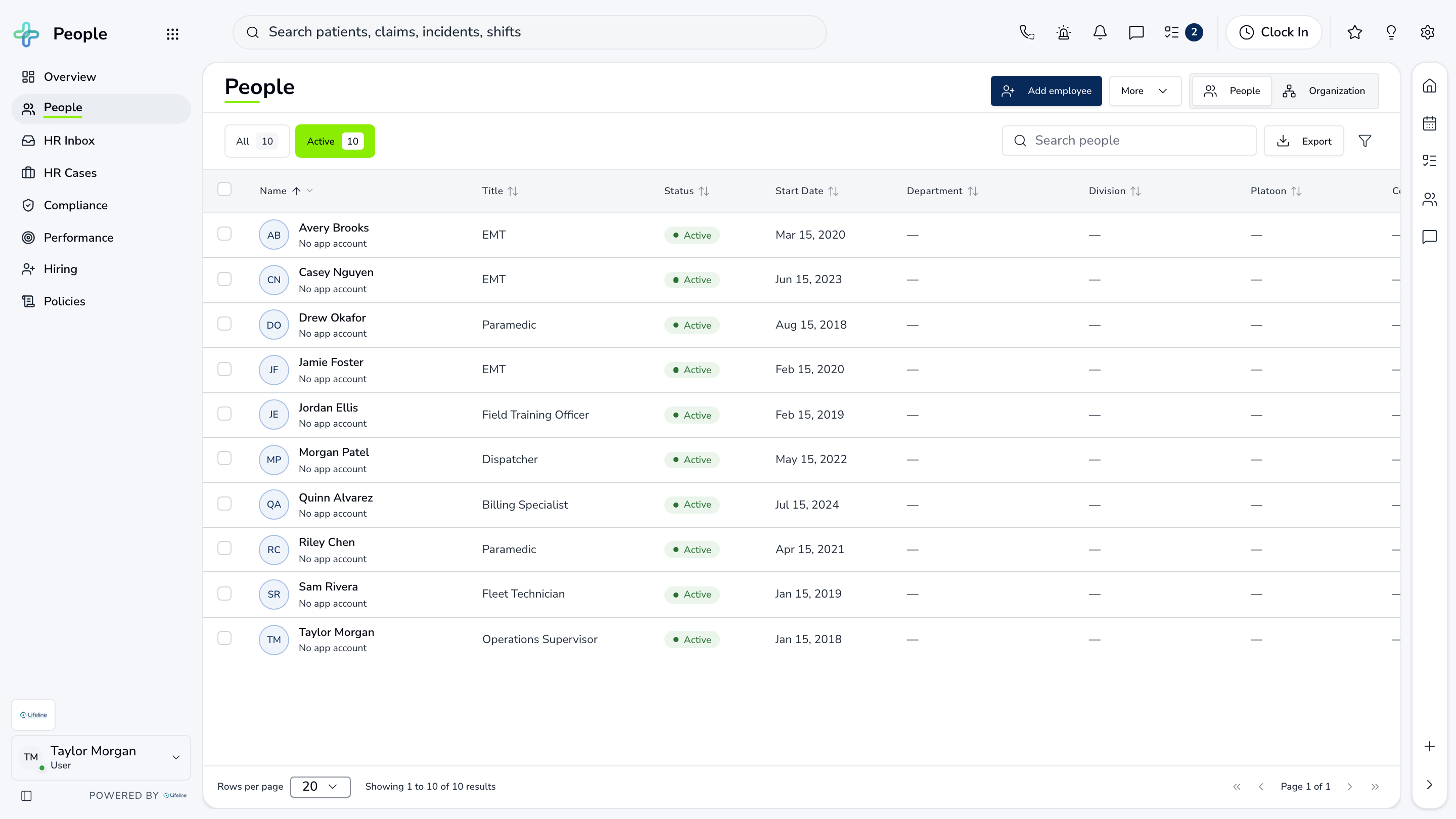
People
The directory opens into a profile with credentials, documents, assignments, and employment details.
Directory
Current roster
Search by person, role, or station
Profile
Employee details
Assignments and documents
Credentials
Renewal dates
Current, upcoming, and expired
Employee record
People
The directory opens into a profile with credentials, documents, assignments, and employment details.
| Work item | Current view | Owner | Status | What happens next |
|---|---|---|---|---|
| Directory | Current roster | Scheduling | Needs attention | Search by person, role, or station |
| Profile | Employee details | Station lead | In progress | Assignments and documents |
| Credentials | Renewal dates | HR | Ready | Current, upcoming, and expired |
03 | From accepted to ready
Onboarding
New hires move through documents, training, credentials, assignments, and readiness.
Plan
Role-based steps
Consistent new-hire path
Owner
Every action assigned
No orphaned checklist
Ready
Gaps visible
Know before the first shift
From accepted to ready
Onboarding
New hires move through documents, training, credentials, assignments, and readiness.
Plan
Role-based steps
Consistent new-hire path
Owner
Every action assigned
No orphaned checklist
Ready
Gaps visible
Know before the first shift
Current work and evidence
Synthetic training-agency recordPlan · Role-based steps
Consistent new-hire path
Owner · Every action assigned
No orphaned checklist
Ready · Gaps visible
Know before the first shift
Everything in People
Every page in the module.
These labels follow the current application navigation. Access varies by role and agency configuration.
Workspace
Scheduling
Operations
Hiring
Walk through People with us.
Tell us how your team handles this work today. We will show you the current People screens that match it, using fictional sample records.