Follow one call from dispatch to deposit.
Here is what happens in LifelineIQ when an ambulance call comes in, told in order, with the real screens each team uses. Nobody retypes anything along the way.
1Dispatch
The call comes in.
The dispatcher creates the incident and assigns Medic 4. The address, complaint, and unit times are on the record before the crew pulls out of the bay.
Explore Dispatch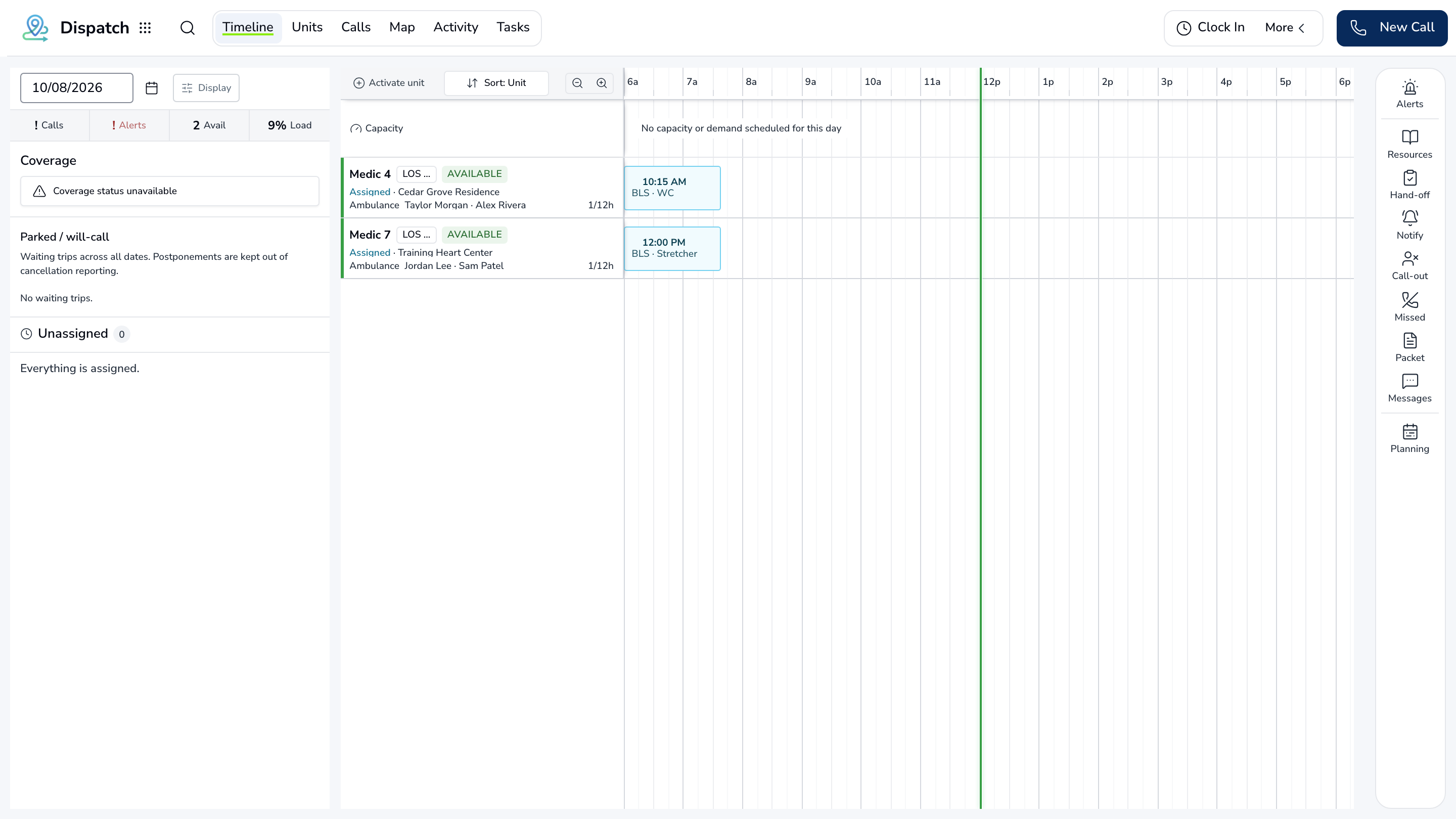
2Clinical
The crew charts on scene.
Vitals, treatment, and signatures go straight into the patient care report. If a signature or required field is missing, the crew sees it before they clear the hospital, not a week later.
Explore Clinical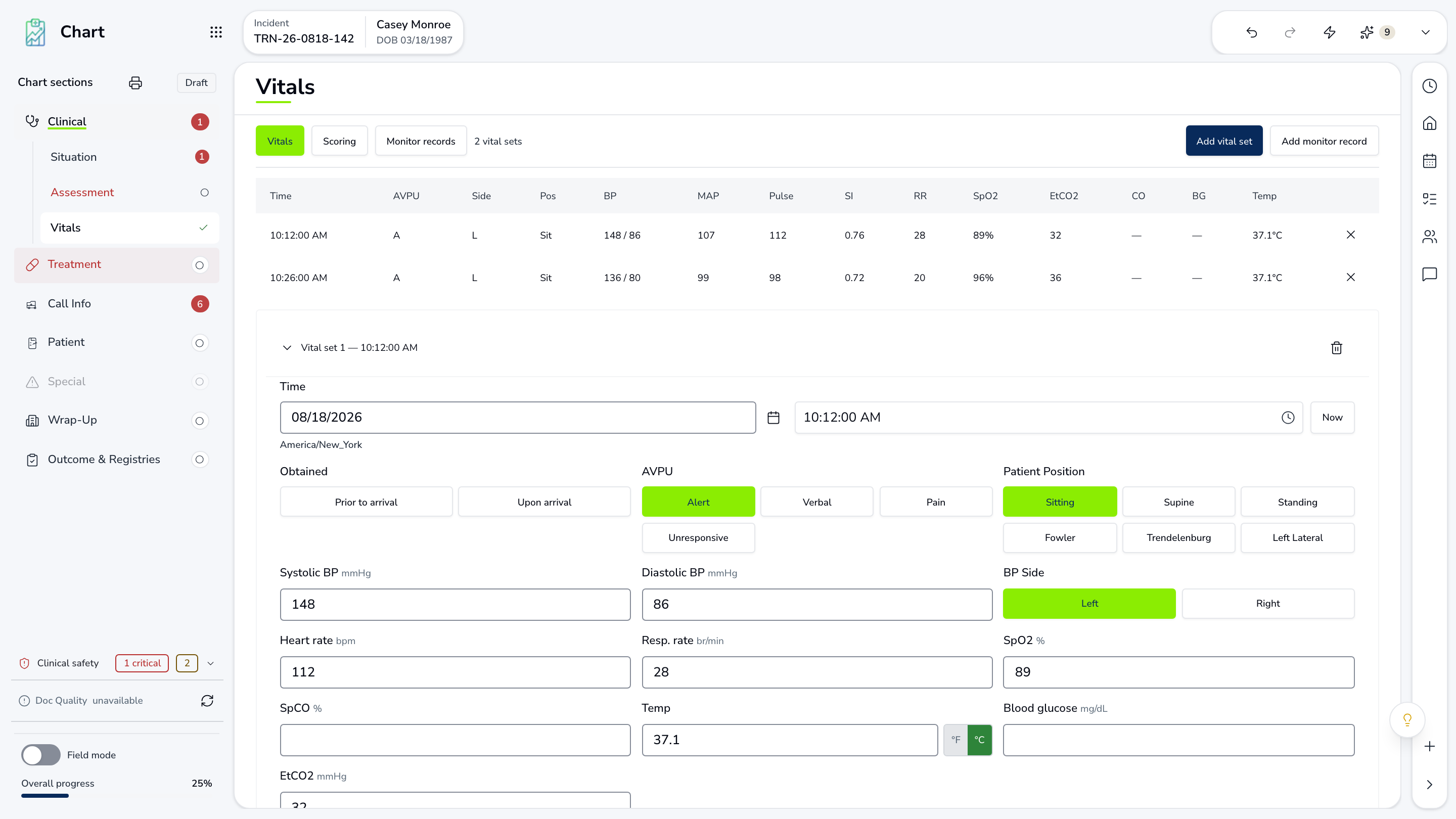
3Revenue
The chart becomes a claim.
Patient, service, and coverage are already filled in. AI checks eligibility and coding, then a biller reviews, decides, and submits. Payer follow-up and payments stay on the same claim.
Explore Revenue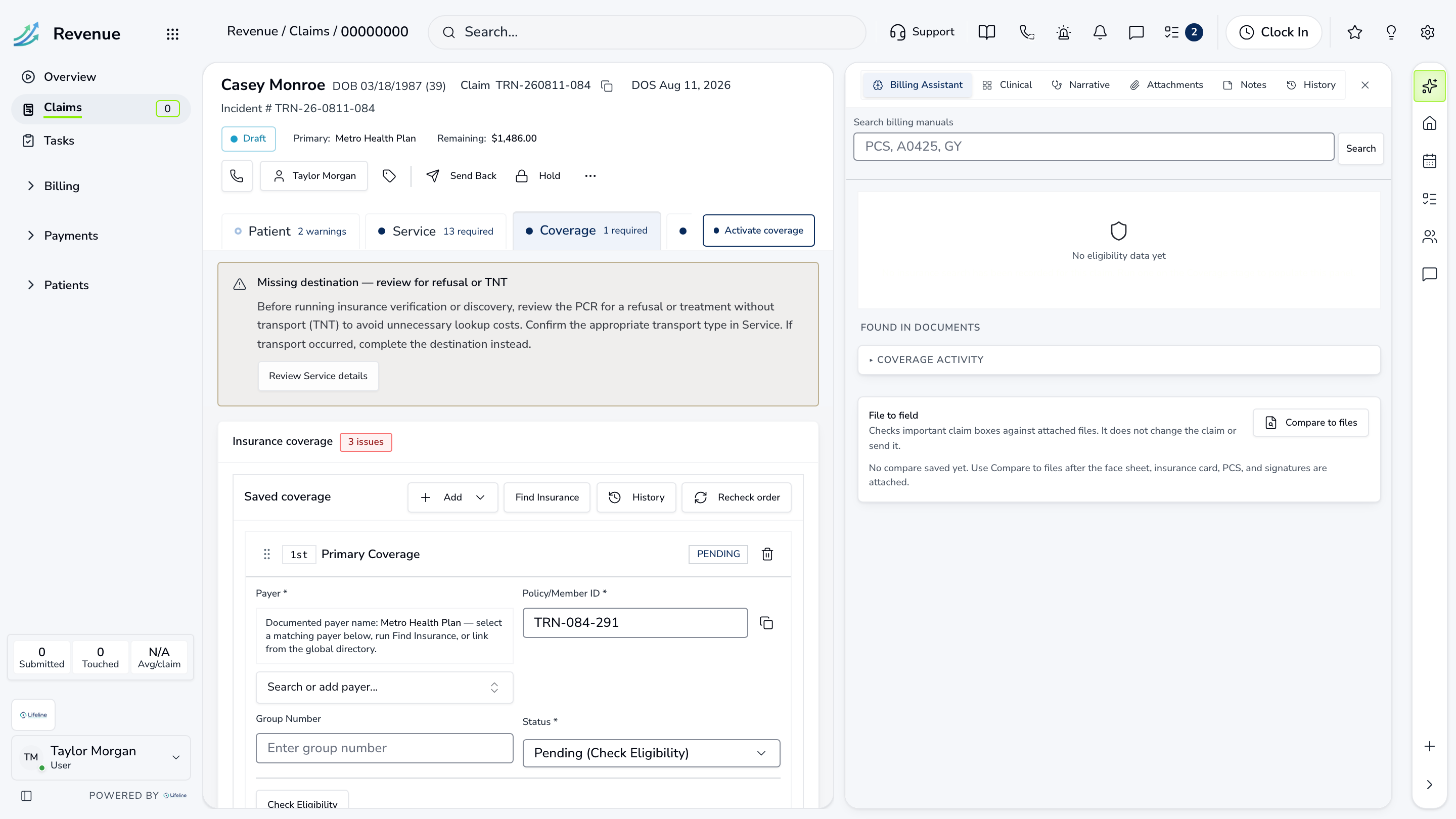
4Insight
The chief sees the result.
Collections, call volume, and crew readiness roll up for leadership. Ask a question in plain English, and every number opens to the calls behind it.
Explore Insight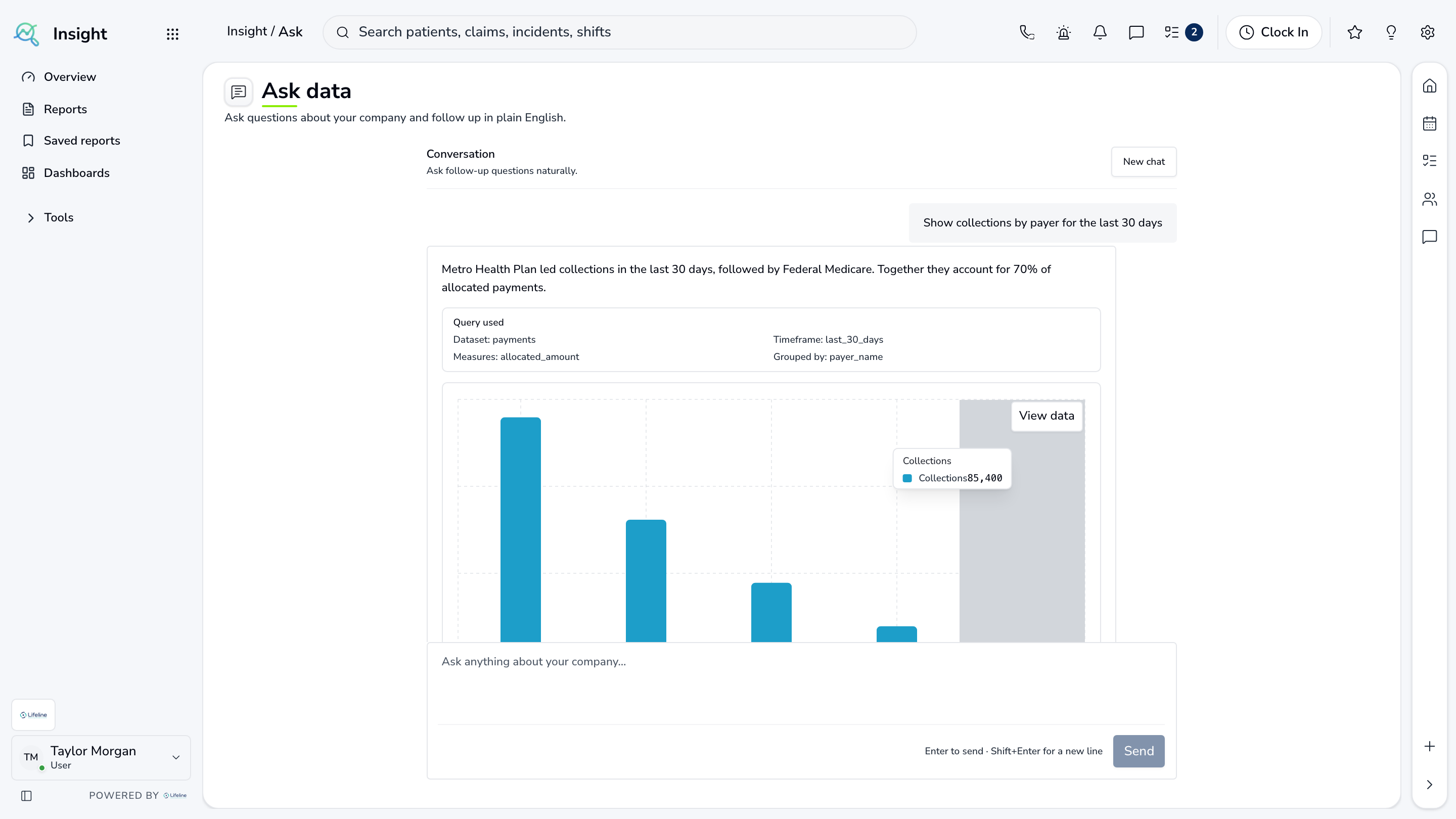
Show us how a call moves through your agency.
We will walk the same path in LifelineIQ with your workflow in mind.