
LifelineIQ Insight
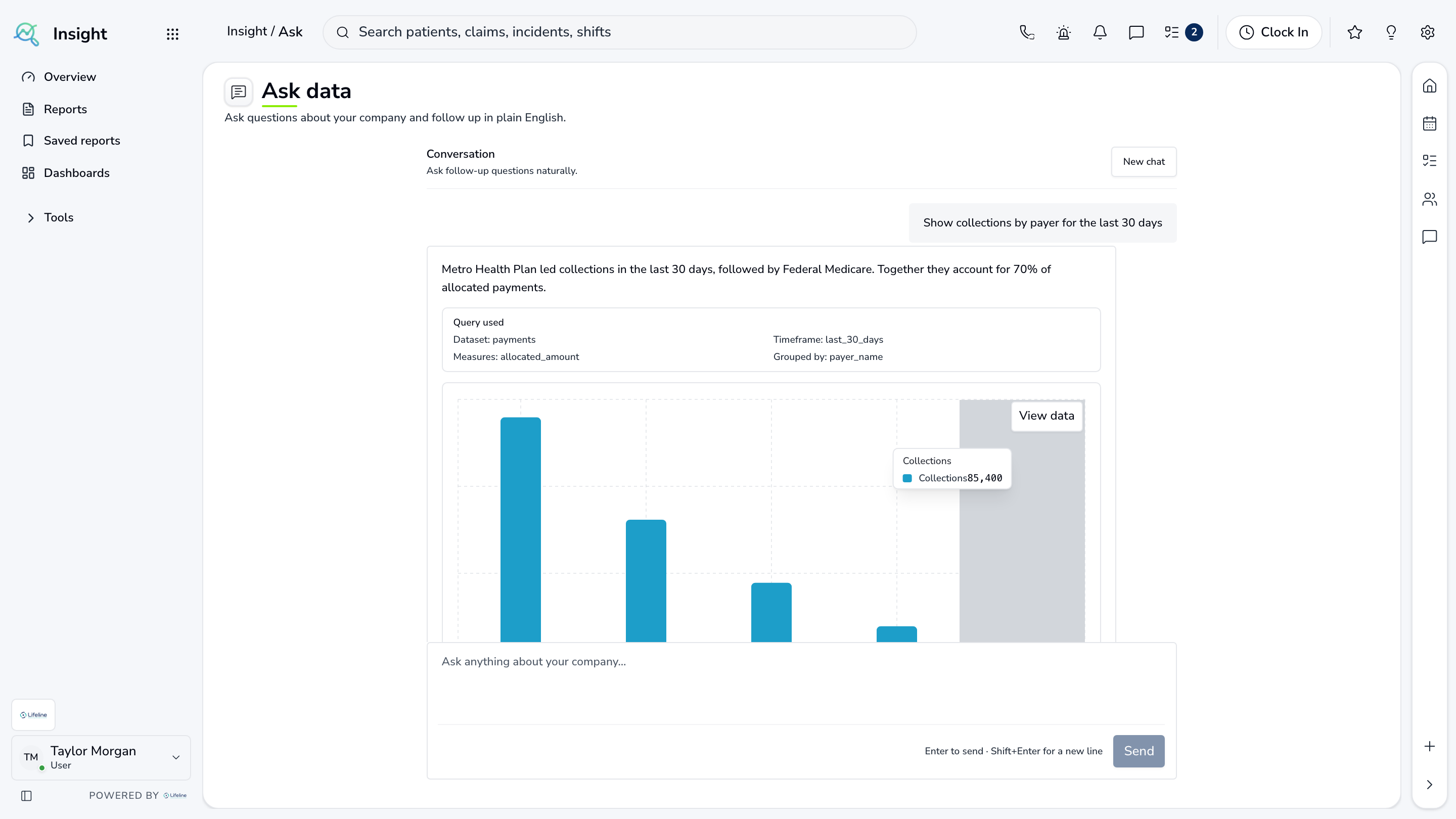
Ask an agency question and open the records behind the answer
Reports, analytics, custom dashboards, operational questions, data exploration, automation, and leadership intelligence.

Inside the module
These three screens show what the team sees, what it works, and where the record goes afterward.
01
Cross-module reporting
02
Custom dashboards and Ask
03
Data exploration and automation
01 | Questions about the operation
Ask
Authorized users ask a question in plain language, see the result, and open the supporting records.
Question
Plain language
Start with the agency question
Answer
Result with sources
See where the number came from
Follow
Underlying records
Continue from summary to detail

02 | Agency reporting
Reports
Reports cover revenue, dispatch, clinical, safety, people, MIH, fire, grants, assets, and other operating areas.
Library
Reports by area
Choose the team or question
Filter
Agency detail
Time, team, and status
Export
Share the result
Downloadable output
Agency reporting
Reports
Reports cover revenue, dispatch, clinical, safety, people, MIH, fire, grants, assets, and other operating areas.
| Work item | Current view | Owner | Status | What happens next |
|---|---|---|---|---|
| Library | Reports by area | Leadership | Needs attention | Choose the team or question |
| Filter | Agency detail | Data owner | In progress | Time, team, and status |
| Export | Share the result | Operations | Ready | Downloadable output |
03 | Leadership view
Leadership
Important exceptions from across the agency are grouped by the team that needs to respond.
Signal
What changed
Current result and trend
Context
Why it matters
Threshold and source
Action
Open the records
Go from the measure to the work
Leadership view
Leadership
Important exceptions from across the agency are grouped by the team that needs to respond.
Signal
What changed
Current result and trend
Context
Why it matters
Threshold and source
Action
Open the records
Go from the measure to the work
Current work and evidence
Synthetic training-agency recordSignal · What changed
Current result and trend
Context · Why it matters
Threshold and source
Action · Open the records
Go from the measure to the work
Everything in Insight
Every page in the module.
These labels follow the current application navigation. Access varies by role and agency configuration.
Brief
Reports
Ask
Report Tools
Governance
Walk through Insight with us.
Tell us how your team handles this work today. We will show you the current Insight screens that match it, using fictional sample records.