
LifelineIQ Fire
Take a NERIS report from the scene through acceptance
Create, review, correct, submit, and track fire incident reports with NERIS guidance and a clear QA queue.

Inside the module
These three screens show what the team sees, what it works, and where the record goes afterward.
01
Guided NERIS incident reports
02
QA review and revision
03
Submission and rejection tracking
01 | Incident documentation
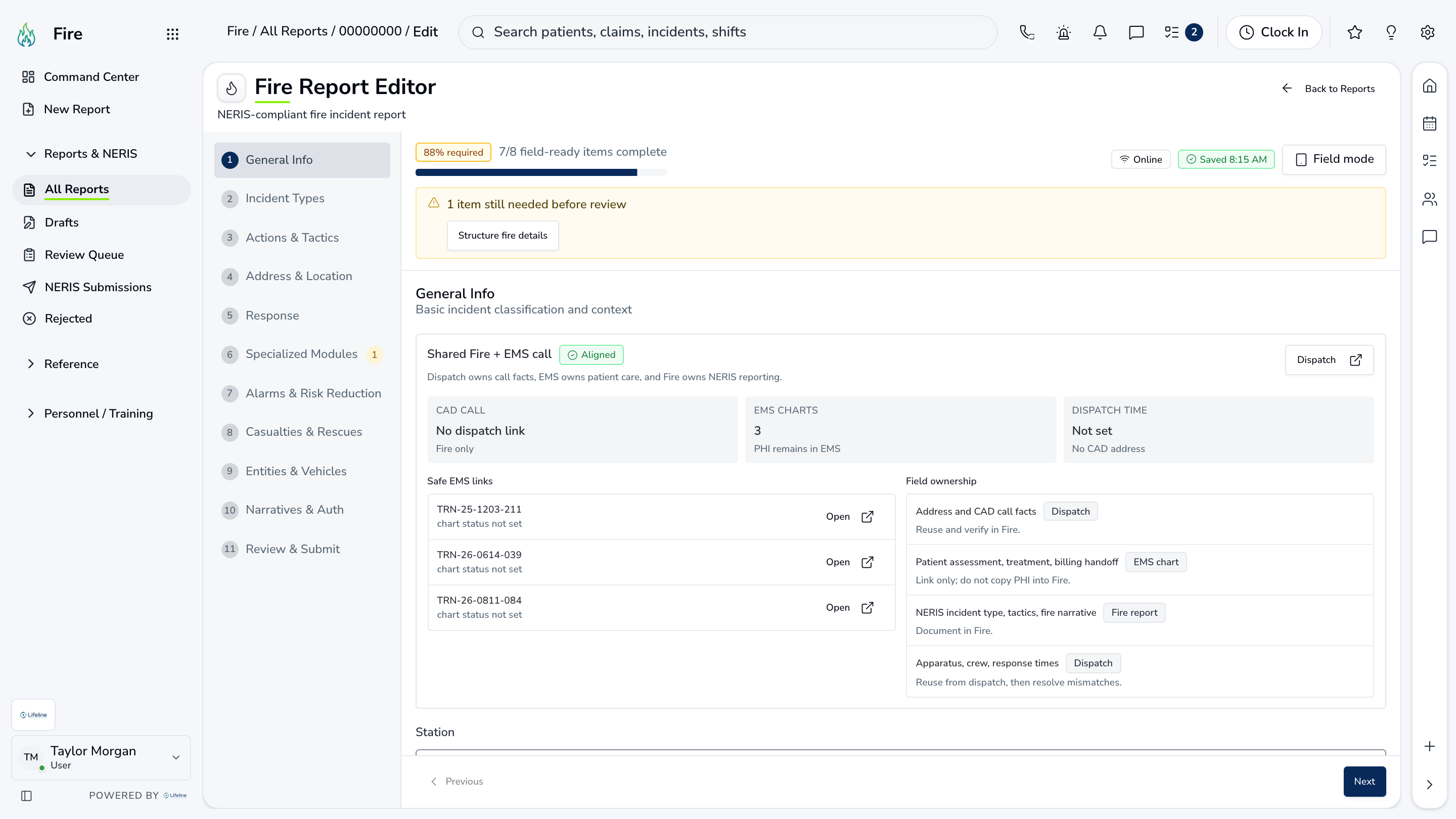
Report Editor
Crews document the incident, apparatus, actions, people, and narrative, with NERIS requirements shown in the editor.
Incident
Core details
Fields change with incident type
Response
Apparatus and actions
Who responded and what they did
Validation
NERIS requirements
Checked before submission

02 | Reporting status
Command Center
Drafts, reports in review, submissions, and rejections are visible without opening every incident.
Drafts
Work in progress
Resume the right report
QA
Review queue
Ownership and status clear
NERIS
Submission state
Accepted or needs action
Reporting status
Command Center
Drafts, reports in review, submissions, and rejections are visible without opening every incident.
| Work item | Current view | Owner | Status | What happens next |
|---|---|---|---|---|
| Drafts | Work in progress | A. Patel | Needs attention | Resume the right report |
| QA | Review queue | Fire QA | In progress | Ownership and status clear |
| NERIS | Submission state | Incident command | Ready | Accepted or needs action |
03 | Fix and resubmit
Rejected
A rejected report keeps the response from NERIS and identifies who needs to correct it.
Reason
Rejection detail
The actual response from NERIS
Owner
Assigned correction
One person has the report
History
Submission trail
Prior attempts and changes
Fix and resubmit
Rejected
A rejected report keeps the response from NERIS and identifies who needs to correct it.
Reason
Rejection detail
The actual response from NERIS
Owner
Assigned correction
One person has the report
History
Submission trail
Prior attempts and changes
Current work and evidence
Synthetic training-agency recordReason · Rejection detail
The actual response from NERIS
Owner · Assigned correction
One person has the report
History · Submission trail
Prior attempts and changes
Everything in Fire
Every page in the module.
These labels follow the current application navigation. Access varies by role and agency configuration.
Incidents / NERIS
Personnel / Training
Walk through Fire with us.
Tell us how your team handles this work today. We will show you the current Fire screens that match it, using fictional sample records.