
LifelineIQ Security
Record the event once and keep the follow-up with it
Structured security reports, a QA queue, follow-up, and trend reporting for operational risk.

Inside the module
These three screens show what the team sees, what it works, and where the record goes afterward.
01
Field security reports
02
QA and follow-up queue
03
Operational trend reporting
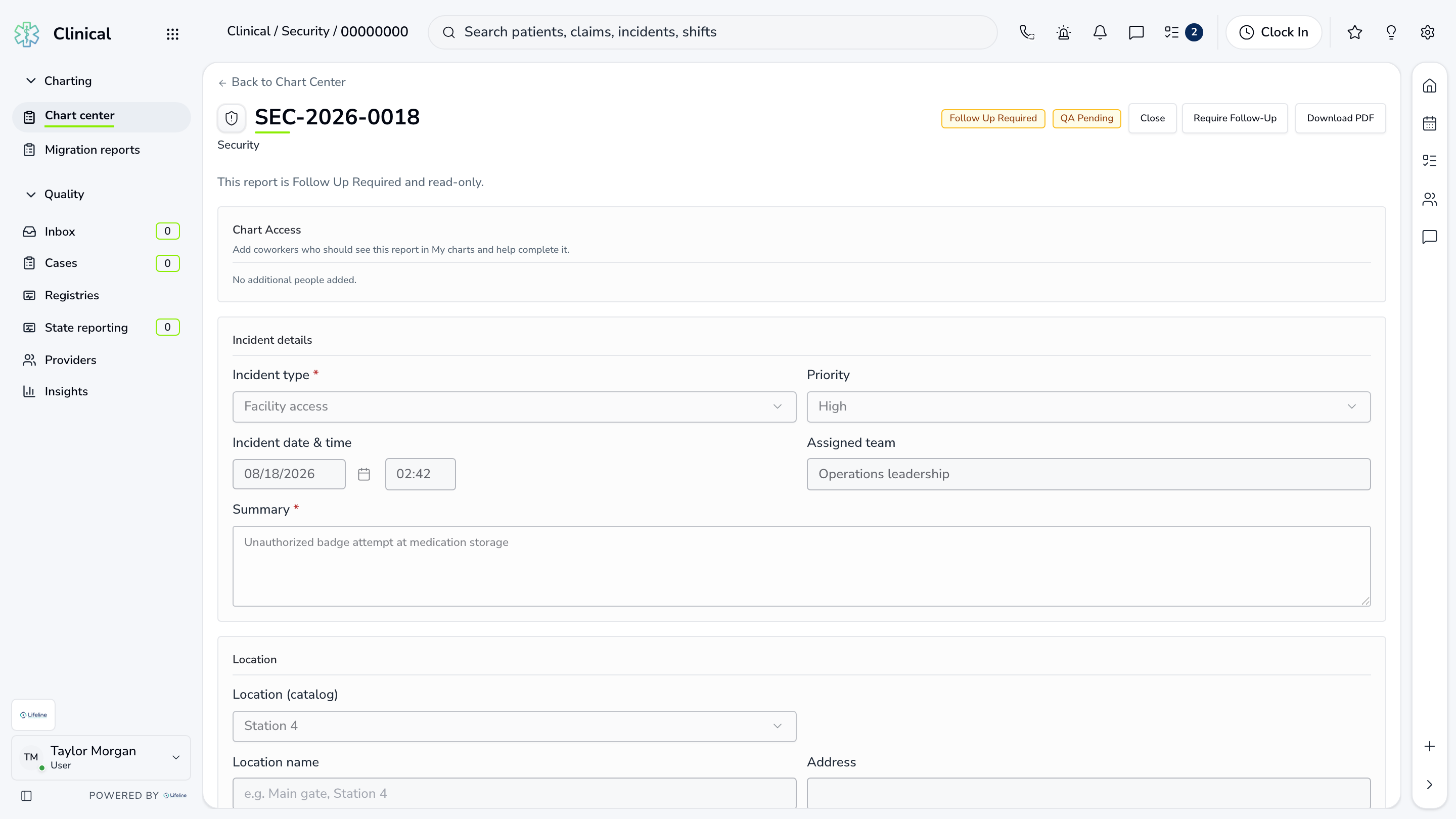
01 | Security report
Reports
The event narrative, people, location, files, notes, and assigned follow-up remain on the report.
Event
Initial report
What happened, where, and who was involved
Evidence
Files and notes
Attached to the event
Action
Assigned follow-up
Who needs to respond

02 | Security posture
Trends
Open reports, unresolved items, review status, and recurring event types are visible together.
Open
Active reports
Status and owner visible
Review
QA pending
Nothing lost after intake
Trend
Patterns over time
Operational learning
Security posture
Trends
Open reports, unresolved items, review status, and recurring event types are visible together.
| Work item | Current view | Owner | Status | What happens next |
|---|---|---|---|---|
| Open | Active reports | J. Black | Needs attention | Status and owner visible |
| Review | QA pending | Security reviewer | In progress | Nothing lost after intake |
| Trend | Patterns over time | Operations | Ready | Operational learning |
03 | Review and closeout
QA Queue
Reviewers verify the report, request revisions, assign follow-up, and record the final decision.
Queue
Reports by priority
Review state and owner
Decision
Approve or revise
Reason kept with the report
Close
Outcome recorded
Full audit trail
Review and closeout
QA Queue
Reviewers verify the report, request revisions, assign follow-up, and record the final decision.
Queue
Reports by priority
Review state and owner
Decision
Approve or revise
Reason kept with the report
Close
Outcome recorded
Full audit trail
Current work and evidence
Synthetic training-agency recordQueue · Reports by priority
Review state and owner
Decision · Approve or revise
Reason kept with the report
Close · Outcome recorded
Full audit trail
Everything in Security
Every page in the module.
These labels follow the current application navigation. Access varies by role and agency configuration.
Workspace
Walk through Security with us.
Tell us how your team handles this work today. We will show you the current Security screens that match it, using fictional sample records.