LifelineIQ Home
Start the shift with the work that needs you
Your tasks, messages, forms, approvals, and daily brief, with direct paths into the records behind them.
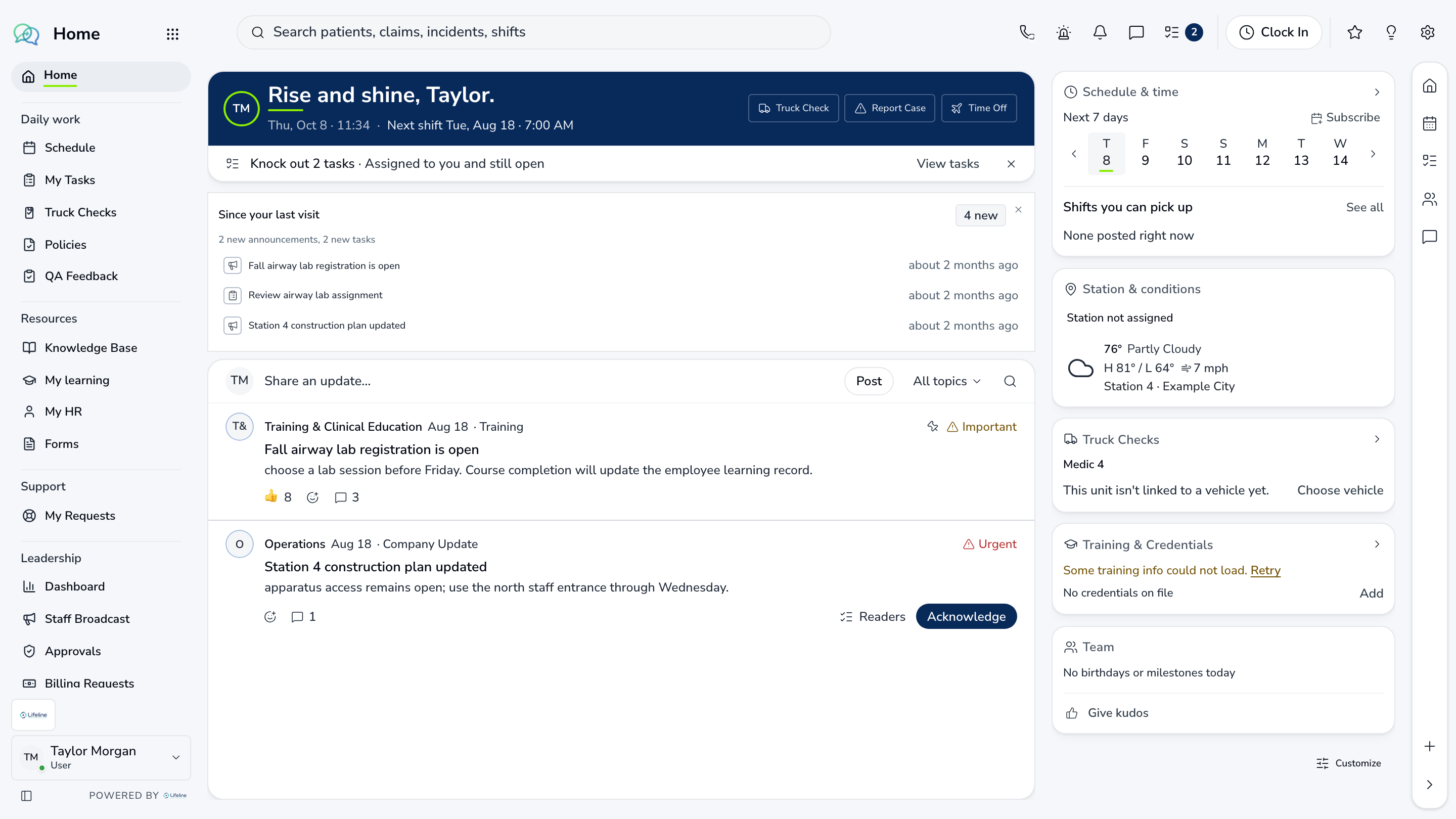
Inside the module
These three screens show what the team sees, what it works, and where the record goes afterward.
01
Personal work queue
02
Daily brief and alerts
03
Forms, tasks, and approvals
01 | Your workday
My work
Tasks, approvals, messages, and open items are ordered by urgency and ownership.
Today
Priority work
The items due now
Brief
Morning brief
Exceptions from across the agency
Launchpad
Module access
Open the source workspace directly

02 | Agency overview
Leadership
Revenue, operations, quality, people, and assets are summarized with links back to the underlying work.
Revenue
A/R and collections
Exceptions and current trends
Operations
Dispatch pressure
Call volume and response health
Readiness
People and assets
Coverage and compliance risk
Agency overview
Leadership
Revenue, operations, quality, people, and assets are summarized with links back to the underlying work.
| Work item | Current view | Owner | Status | What happens next |
|---|---|---|---|---|
| Revenue | A/R and collections | You | Needs attention | Exceptions and current trends |
| Operations | Dispatch pressure | Operations | In progress | Call volume and response health |
| Readiness | People and assets | Leadership | Ready | Coverage and compliance risk |
03 | Forms and approvals
Forms
Staff submit a form, reviewers handle it, and the agency keeps the status and decision history.
Submit
Field-ready forms
Available from Home
Route
Assigned review
The right person receives it
Track
Decision history
Submission through closeout
Forms and approvals
Forms
Staff submit a form, reviewers handle it, and the agency keeps the status and decision history.
Submit
Field-ready forms
Available from Home
Route
Assigned review
The right person receives it
Track
Decision history
Submission through closeout
Current work and evidence
Synthetic training-agency recordSubmit · Field-ready forms
Available from Home
Route · Assigned review
The right person receives it
Track · Decision history
Submission through closeout
Everything in Home
Every page in the module.
These labels follow the current application navigation. Access varies by role and agency configuration.
Workspace
My Work
Resources
Support
Leadership
Walk through Home with us.
Tell us how your team handles this work today. We will show you the current Home screens that match it, using fictional sample records.