
Cookie preferences

Optional cookies from Google Analytics, Google Ads, and HubSpot help us measure visits. They stay off until you allow them, and a Global Privacy Control signal keeps them off.

See our cookie policy and privacy policy. You can change this any time.

Lifeline Revenue billers now work claims directly inside LifelineIQ.Learn more →
Platform/Schedule

Schedule

Build coverage, handle requests, and close out timecards

Schedules, open shifts, trades, time off, rotations, and timecards on one board, tied to the people record.

All workspaces
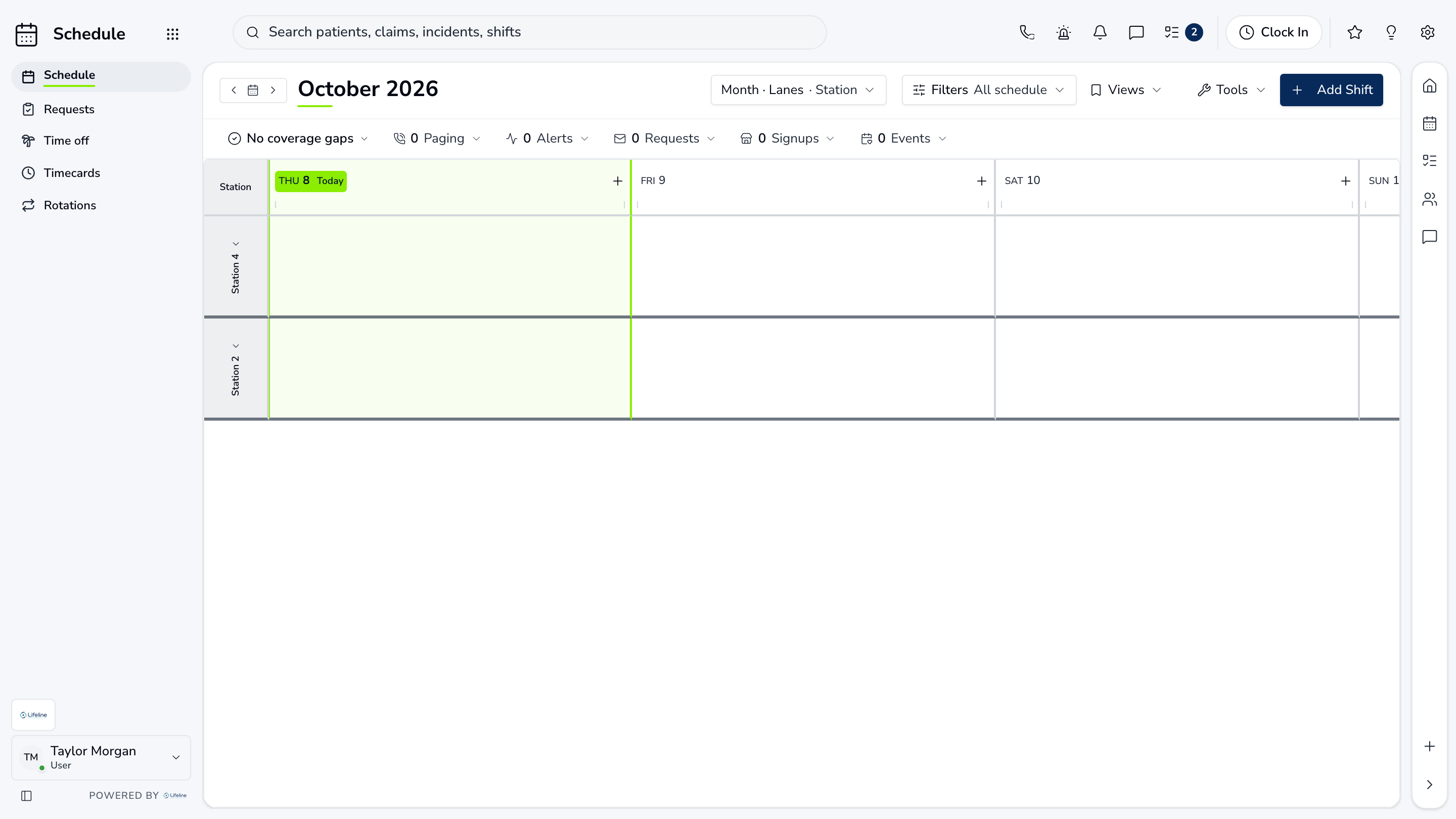
LifelineIQ Schedule workspace with fictional training data

What your team does in Schedule

Coverage planning

Schedule

Build the schedule, handle PTO and trades, and see staffing requirements before the shift is published.

  • Shifts and gaps. Required roles beside scheduled staff.
  • PTO and trades. Requests on the schedule they affect.
  • Current schedule. Staff can see the latest change.

Time off and trades

Requests

Time off, shift trades, and pickup requests go to the right approver with coverage impact shown before anyone says yes.

  • Submitted by staff. From phone or desktop.
  • Coverage check. Gaps shown before approval.
  • Approved or declined. History kept on the schedule.

Hours to payroll

Timecards

Clock-ins, shift hours, overtime, and exceptions are reviewed and approved before payroll.

  • Clock in and out. Matched to the scheduled shift.
  • Missed or late. Flagged for the supervisor.
  • Payroll-ready. Signed off by period.

Everything in Schedule

Every page your team can open in this workspace.

Schedule

ScheduleRequestsTime offTimecardsRotations

Walk through Schedule with us.

Tell us how your team handles this work today, and we will show you how it runs in Schedule.

All workspaces