
Platform/Dispatch

LifelineIQ Dispatch

Keep calls, units, and coverage on the same board

Take a call, assign a unit, watch the map, plan scheduled trips, and hand the shift off without rebuilding the picture.

Current Dispatch workspaceFictional training-agency data
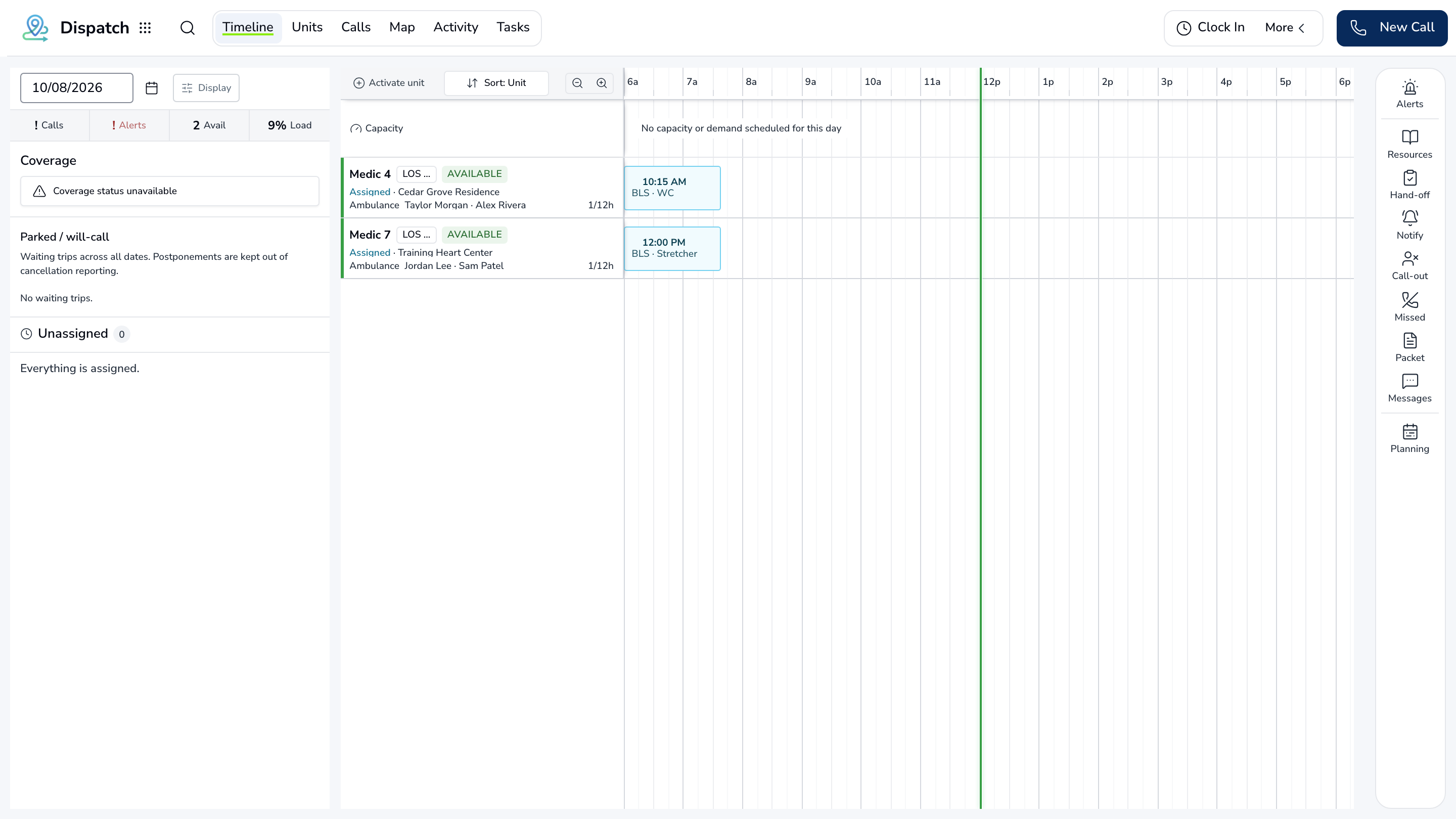
LifelineIQ Dispatch workspace with fictional training data

Inside the module

These three screens show what the team sees, what it works, and where the record goes afterward.

01

Live CAD board and map

02

Unit and resource status

03

Recurring trips and facility portal

01 | Live dispatch

CAD Board

Dispatchers manage incoming calls and unit assignments while the map shows where coverage is building or thinning.

Calls

Status by stage

Intake through unit clear

Units

Current availability

Crew and unit status beside demand

Map

Call and unit locations

The geography behind the board

CAD Board workspaceBased on the current product
LifelineIQ Dispatch workspace with fictional training data

02 | Scheduled transport

Recurring Trips

Future and recurring transports have their own schedule, including series changes and capacity conflicts.

Schedule

Future trips

Series and single occurrences

Exceptions

Capacity conflicts

Problems to solve before the shift

Facilities

Request coordination

Facility requests and updates

Recurring Trips workspaceBased on the current product
DispatchTA

Scheduled transport

Recurring Trips

Future and recurring transports have their own schedule, including series changes and capacity conflicts.

Search this workspace
3 current records · updated just now
Work itemCurrent viewOwnerStatusWhat happens next
ScheduleFuture tripsCentral DispatchNeeds attentionSeries and single occurrences
ExceptionsCapacity conflictsMedic 4In progressProblems to solve before the shift
FacilitiesRequest coordinationShift supervisorReadyFacility requests and updates
Recurring Trips | Current product structureFictional training-agency data

03 | Shift handoff

Shift Huddle

The huddle pulls coverage, call activity, and open issues into a brief the next supervisor can use.

Coverage

Units and gaps

The staffing picture at handoff

Calls

Shift activity

Volume and exceptions

Handoff

Prefilled brief

Open issues for the next shift

Shift Huddle workspaceBased on the current product
DispatchTA

Shift handoff

Shift Huddle

The huddle pulls coverage, call activity, and open issues into a brief the next supervisor can use.

Coverage

Units and gaps

The staffing picture at handoff

Calls

Shift activity

Volume and exceptions

Handoff

Prefilled brief

Open issues for the next shift

Current work and evidence

Synthetic training-agency record
1

Coverage · Units and gaps

The staffing picture at handoff

View source
2

Calls · Shift activity

Volume and exceptions

View source
3

Handoff · Prefilled brief

Open issues for the next shift

View source
Shift Huddle | Current product structureFictional training-agency data

Everything in Dispatch

Every page in the module.

These labels follow the current application navigation. Access varies by role and agency configuration.

Workspace

CAD Board

Scheduling / NEMT

Recurring TripsFacility PortalEvents

Reporting

Shift HuddleShift Import Analysis

Walk through Dispatch with us.

Tell us how your team handles this work today. We will show you the current Dispatch screens that match it, using fictional sample records.

View all modules