
Cookie preferences

Optional cookies from Google Analytics, Google Ads, and HubSpot help us measure visits. They stay off until you allow them, and a Global Privacy Control signal keeps them off.

See our cookie policy and privacy policy. You can change this any time.

Lifeline Revenue billers now work claims directly inside LifelineIQ.Learn more →
Platform/Logistics

Logistics

Keep vehicles, supplies, and devices ready for service

Vehicle and station maintenance, inventory and field restocking, and the IT help desk in one workspace.

All workspaces
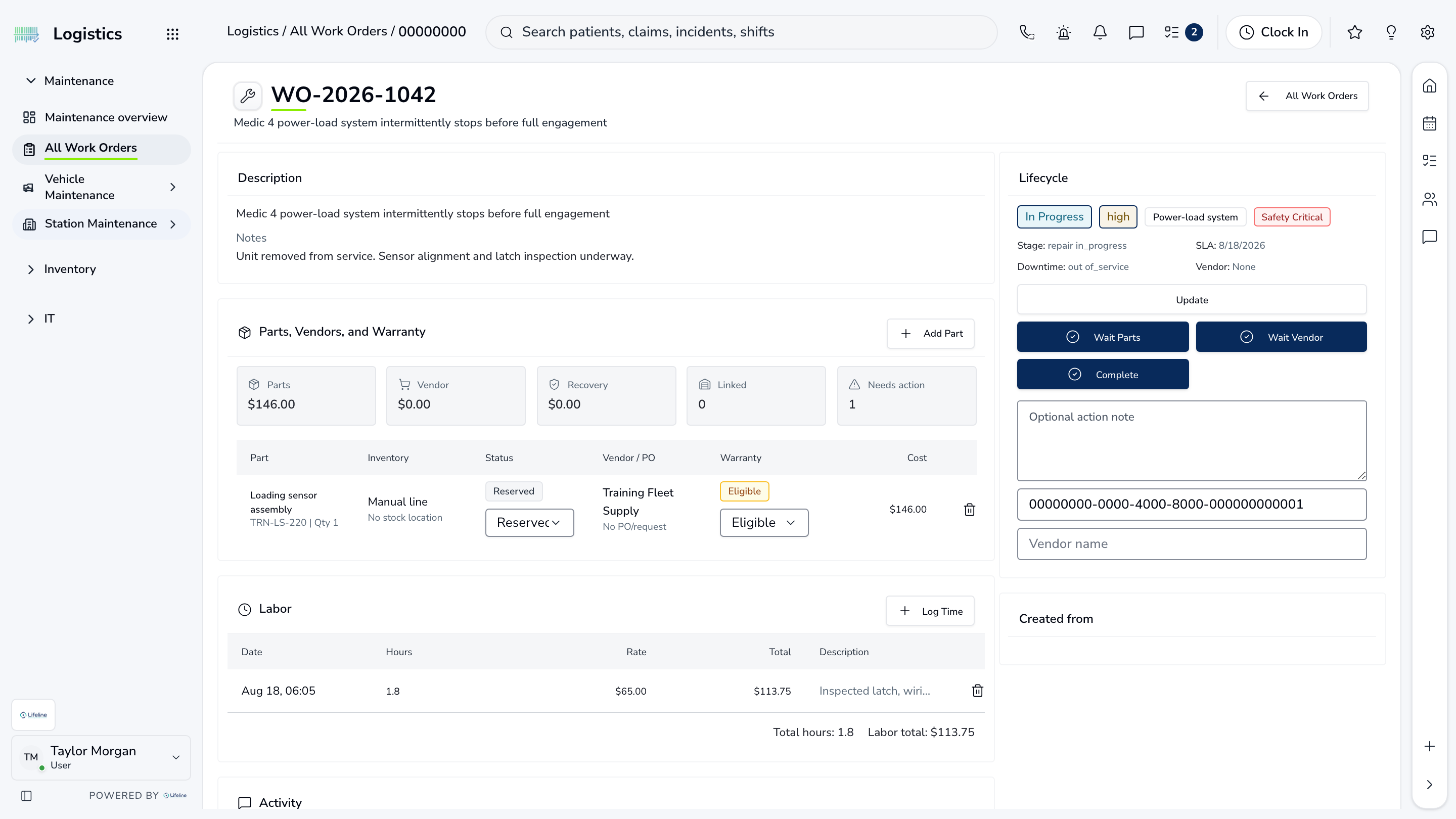
LifelineIQ Logistics workspace with fictional training data

What your team does in Logistics

Repair work

Work Orders

A vehicle or station issue moves through diagnosis, parts, labor, service, and closeout on the asset record.

  • Reported problem. Vehicle or station attached.
  • Parts and labor. What the technician did.
  • Service history. Readiness and next due date updated.

Inventory at the shelf

Field Mode

Crews scan, count, transfer, consume, and restock supplies from a phone or tablet.

  • Find the item. Barcode or search.
  • Transfer stock. Record the source and destination.
  • Update on hand. Keep the adjustment history.

Support queue

Help Desk

Staff report the issue, and IT sees the requester, device, priority, status, and prior work on the same ticket.

  • Tickets by priority. Impact and urgency.
  • Device and station. Configuration and ownership.
  • Prior fixes. Useful when the problem returns.

Everything in Logistics

Every page your team can open in this workspace.

Maintenance

Maintenance overviewAll Work OrdersVehicle MaintenanceStation Maintenance

Inventory

Field ModeSuppliesOrdersAudits

IT

IT Help DeskAll AssetsDisplays

Walk through Logistics with us.

Tell us how your team handles this work today, and we will show you how it runs in Logistics.

All workspaces