
LifelineIQ MIH
Keep the patient story going after the 911 call
Manage referrals, enrollment, caseloads, visits, telehealth, social needs, partner work, and program outcomes over time.

Inside the module
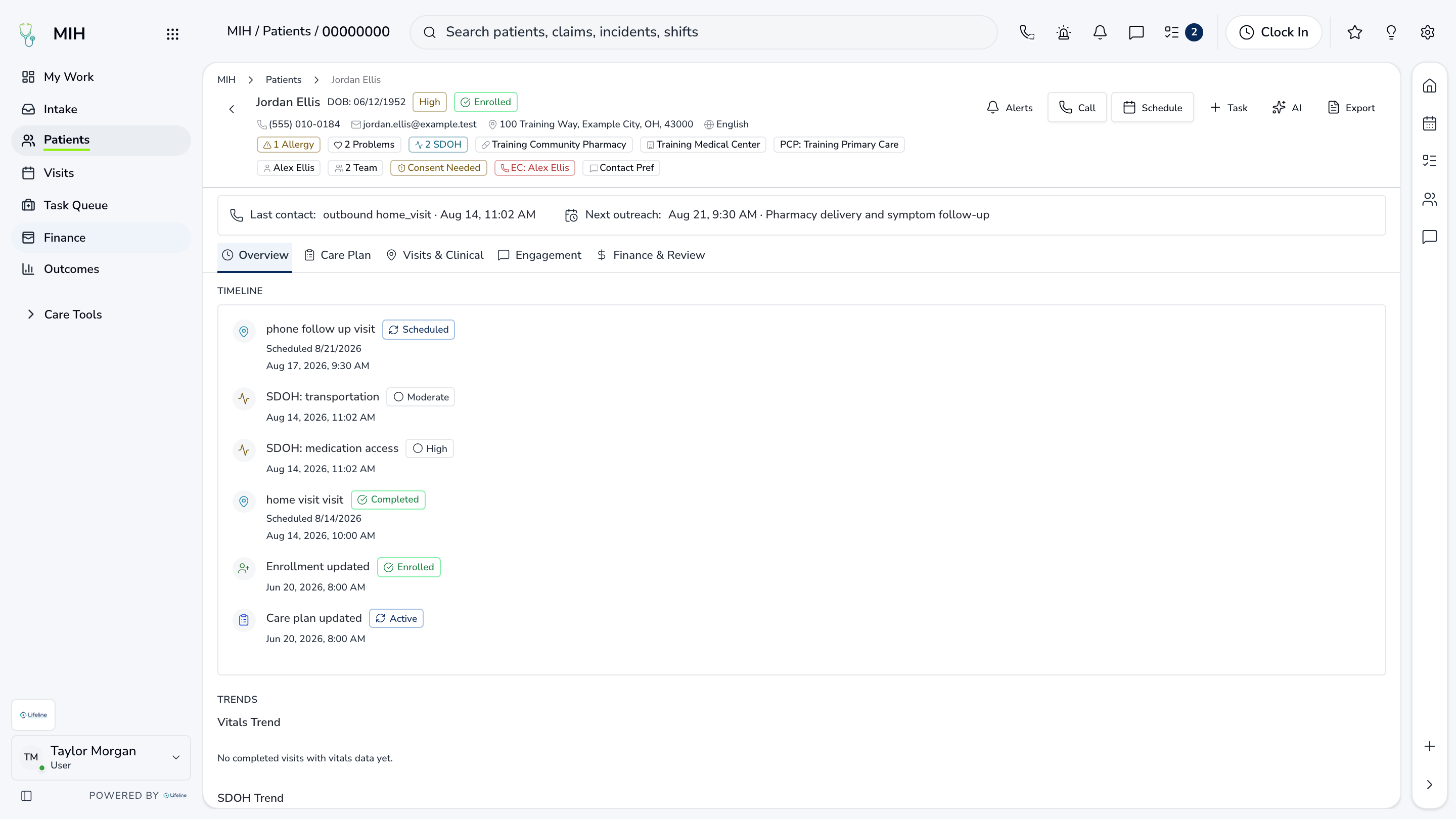
These three screens show what the team sees, what it works, and where the record goes afterward.
01
Referral intake and enrollment
02
Caseloads, visits, and telehealth
03
Pathways, SDOH, and outcomes
01 | Patients in the program
Caseload
The caseload shows who is enrolled, who owns the patient, what is due, and where risk has changed.
Patients
Assigned caseload
Each patient has an owner
Risk
Needs by priority
Clinical and social factors
Tasks
Upcoming work
Visits, calls, and follow-up

02 | Care in motion
Visit Schedule
In-person visits, telehealth, and dispatchable work are coordinated from one schedule.
Visits
Day and week
Team capacity in view
Telehealth
Virtual care
Part of the same plan
Dispatch
Field coordination
Live work when needed
Care in motion
Visit Schedule
In-person visits, telehealth, and dispatchable work are coordinated from one schedule.
| Work item | Current view | Owner | Status | What happens next |
|---|---|---|---|---|
| Visits | Day and week | K. Robinson | Needs attention | Team capacity in view |
| Telehealth | Virtual care | MIH team | In progress | Part of the same plan |
| Dispatch | Field coordination | Care coordinator | Ready | Live work when needed |
03 | Program results
Outcomes
Leaders can compare utilization, interventions, social needs, and reimbursement for the patients the program serves.
Utilization
Before and after
Change over time
SDOH
Needs and resources
Referrals and response
Finance
Billing readiness
Revenue beside program activity
Program results
Outcomes
Leaders can compare utilization, interventions, social needs, and reimbursement for the patients the program serves.
Utilization
Before and after
Change over time
SDOH
Needs and resources
Referrals and response
Finance
Billing readiness
Revenue beside program activity
Current work and evidence
Synthetic training-agency recordUtilization · Before and after
Change over time
SDOH · Needs and resources
Referrals and response
Finance · Billing readiness
Revenue beside program activity
Everything in MIH
Every page in the module.
These labels follow the current application navigation. Access varies by role and agency configuration.
Workspace
Walk through MIH with us.
Tell us how your team handles this work today. We will show you the current MIH screens that match it, using fictional sample records.