
LifelineIQ IT
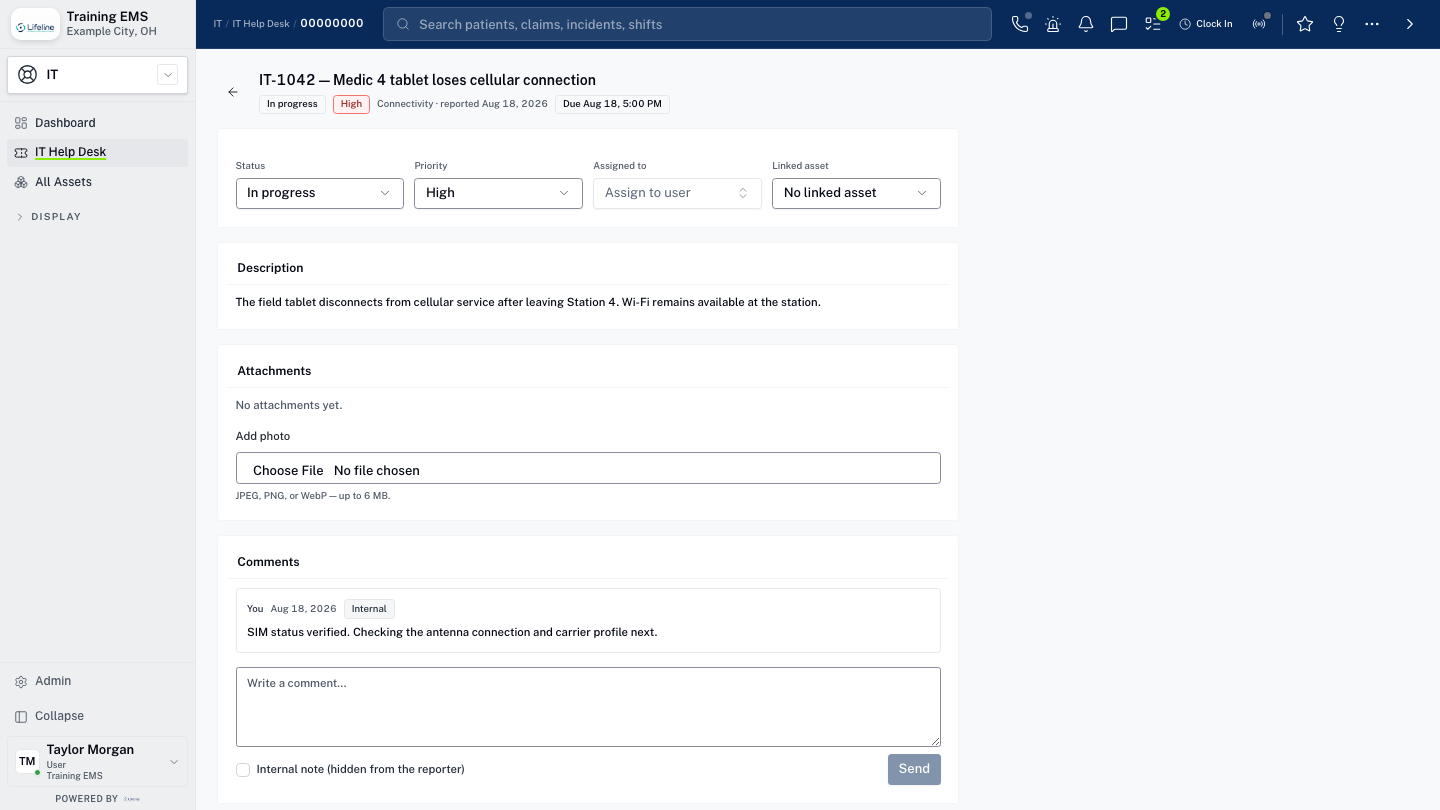
Handle the ticket with the device and station history attached
IT help desk, tickets, asset inventory, ownership, lifecycle, device context, and station displays across the agency.
Inside the module
These three screens show what the team sees, what it works, and where the record goes afterward.
01
Consolidated IT help desk
02
Technology asset lifecycle
03
Station display and device management
01 | Support queue
Help Desk
Staff report the issue, and IT sees the requester, device, priority, status, and prior work on the same ticket.
Queue
Tickets by priority
Impact and urgency
Asset
Device and station
Configuration and ownership
History
Prior fixes
Useful when the problem returns
02 | Technology inventory
Assets
Devices, assignments, location, warranty, status, and service history remain current through the lifecycle.
Inventory
Every device
Owner and location
Lifecycle
Purchase to retirement
Warranty and status
Support
Tickets connected
History follows asset
ITHome / AssetsTechnology inventory
Assets
Devices, assignments, location, warranty, status, and service history remain current through the lifecycle.
| Work item | Current view | Owner | Status | What happens next |
|---|---|---|---|---|
| Inventory | Every device | C. Jensen | Needs attention | Owner and location |
| Lifecycle | Purchase to retirement | Help desk | In progress | Warranty and status |
| Support | Tickets connected | Station 5 | Ready | History follows asset |
03 | Station information
Displays
Station displays are configured, scheduled, assigned to devices, and monitored from the IT workspace.
Content
Display layouts
Agency information
Schedule
What runs when
Station-specific control
Devices
Connection status
Know what is online
ITHome / DisplaysStation information
Displays
Station displays are configured, scheduled, assigned to devices, and monitored from the IT workspace.
Content
Display layouts
Agency information
Schedule
What runs when
Station-specific control
Devices
Connection status
Know what is online
Current work and evidence
Synthetic training-agency recordContent · Display layouts
Agency information
Schedule · What runs when
Station-specific control
Devices · Connection status
Know what is online
Everything in IT
Every page in the module.
These labels follow the current application navigation. Access varies by role and agency configuration.
Workspace
Display
Walk through IT with us.
Tell us how your team handles this work today. We will show you the current IT screens that match it, using fictional sample records.